
Introduction
In September 2025, we launched a new digital prospectus for master’s courses at Bath. This was a collaborative effort between the Digital Content and Development teams. In the spirit of that collaboration, Rebecca Stewart, our Front-end Developer, and I have written this joint post about the project.
Using the digital master's prospectus, prospective master's students can now create a customised version tailored to the subjects and courses they’re most interested in. Alongside detailed course information, the prospectus brings together key insights about our campus, community, facilities, and what it’s like to live in the vibrant city of Bath.
This marks a significant shift for us: it’s not only the first fully digital prospectus we’ve produced, but also the first time we’ve chosen not to create a printed master’s prospectus.
Benefits of switching to a digital prospectus
- Allows prospective students to customise the prospectus based on information relevant to them
- The Prospectus Plus platform has 0% carbon footprint and runs exclusively on green energy
- A reduction in print costs
- Analytics which allow us to see which content is most relevant
Design and development
Before our UX Designer, Sam, could begin on designs, we needed to get an idea of what was possible with Prospectus Plus and any software limitations. To achieve this, we read their documentation and looked at what other colleges and universities had done with their Prospectus Plus. We knew from meetings with Prospectus Plus that pages could be built using the WordPress Block Editor, so that gave us a lot of flexibility on pages.
Once we had an idea of what was possible, Sam began developing design options for Prospectus Plus. These were shown to key stakeholders and once the designs had been chosen and signed off, we began to implement them.
Prospectus plus had implemented some very basic colours and fonts, but we needed to implement anything more advanced ourselves. Prospectus Plus allowed us to attach our own stylesheet, so we created a new stylesheet within Lens, our digital design system, which allowed us to easily pull in existing Lens styles. We used this stylesheet to override Prospectus Plus styles to match Sam’s designs.
Once core styling was in place, we began on building patterns with the WordPress block editor. The use of CSS also allowed us to create more complex patterns. These would be used by our Digital Content team to help build pages with pre-defined building blocks. We also used these building blocks to create the template for our course pages.
Course Sync
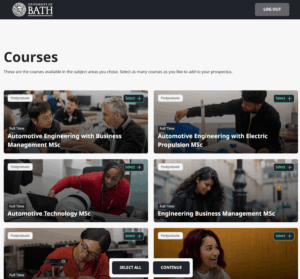
One of the main features of Prospectus Plus is Course Sync. This allowed us to pull data from our Typecase for Courses CMS into Prospectus Plus. This was useful as we have a lot of course pages and creating them manually would have meant building each one individually. We created a template for all courses; this pulled in key fields from Typecase. It took a bit of modification to get our data to work with Course Sync but we got there in the end.
What’s next for development
We’ve now begun development on the undergraduate prospectus. We don't need to do the design and front-end development this time around, as we're using the same styles for the undergraduate and postgraduate prospectuses. We may need to make a different template for courses and amend our Couse Sync data slightly, but we're using existing styles to create this on the front end.
Content
When the Development team had done their bit, it was time to add the content.
Our process for the print prospectus was always to update the copy and share it with subject experts before it went to the Design team, who did the layouts for the printed version.
By the time we found out we were going to be using Prospectus Plus for the master's prospectus, we'd already updated the copy. What we needed to do next, though, was work out how to make copy written for print work on a digital platform and with Sam's designs.
Structure
The print prospectus was arranged in thematic sections, with short sub-sections about specific topics. That made it easy to flick through it and pick out the information you wanted to find.
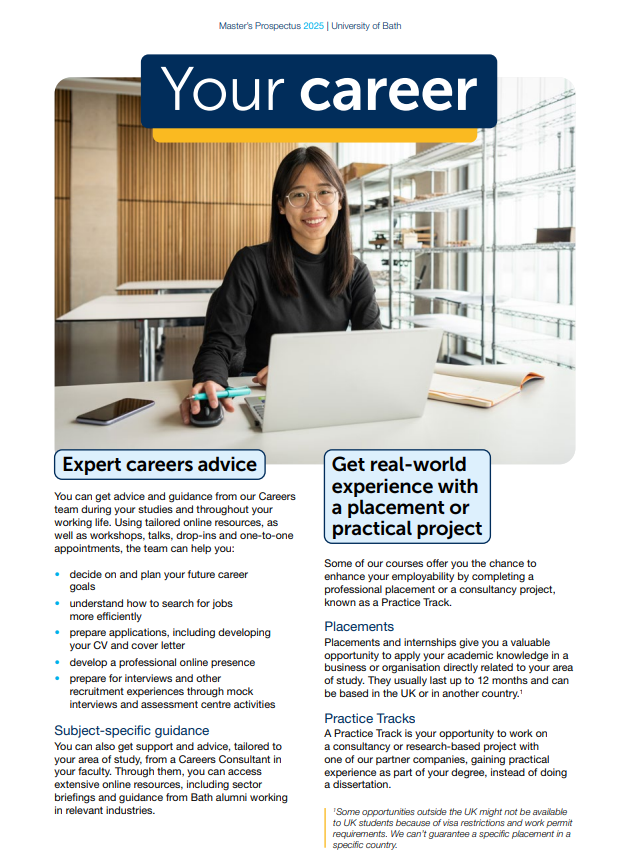
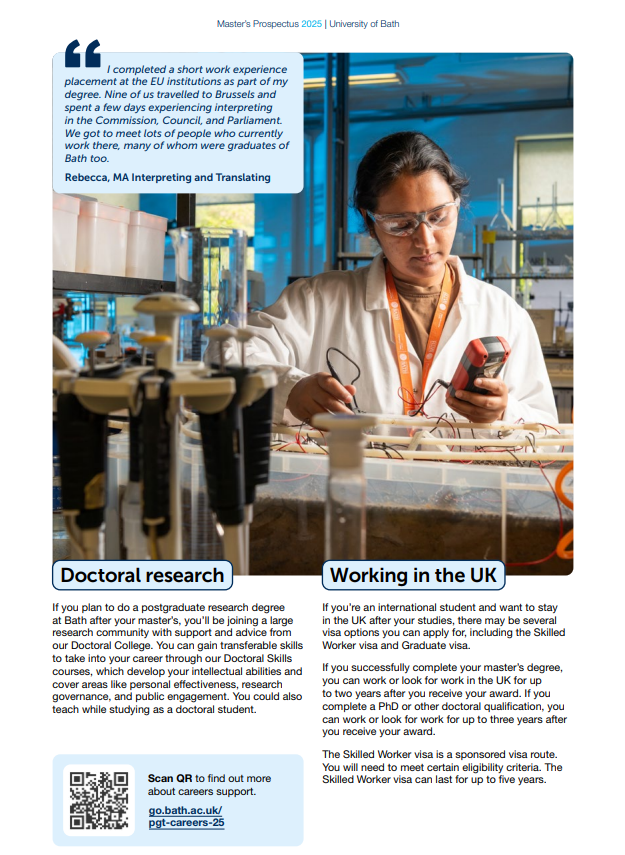
We wanted people to have a similar experience in Prospectus Plus, so we decided to divide some of these multi-part sections into distinct pages. This would save people from having to read long web pages with multiple sections to find specific information.
In the careers section, for example, we now have separate pages for things like Doctoral research (which not all prospective students would be interested in) giving people the choice to either read that page or not.
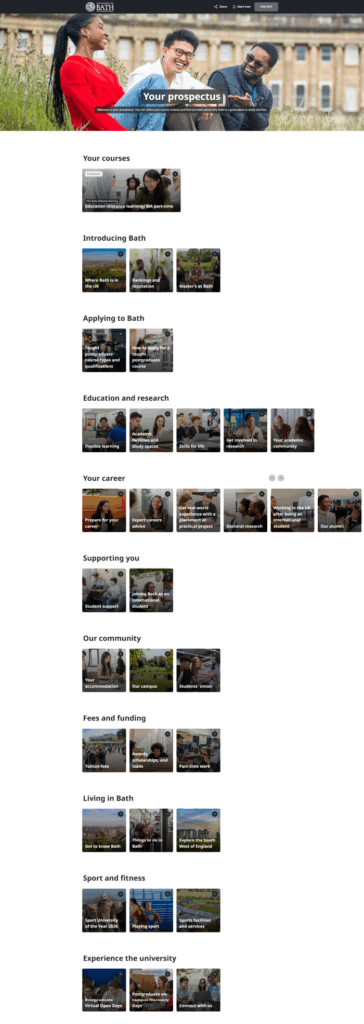
Splitting up the content like this helped us structure the overview page, where people can see all the content and personalise their prospectus by removing the pages they're not interested in.
By breaking up content into smaller pages, which you can see here divided into their sections, we made better use of this page than if all the content was held in just a handful of pages.
We also chose to group together some standalone pages from the print prospectus, like the Bath location and rankings pages, and the student support and international pages.
By doing this, we avoided having sections with only one page, which can look weird or like there's information missing.
Multimedia
Putting the prospectus online was an opportunity to make it more dynamic and interactive.
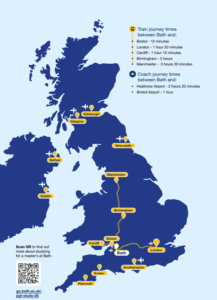
We replaced some of the static imagery, like the UK map, with embedded content, like maps and videos.
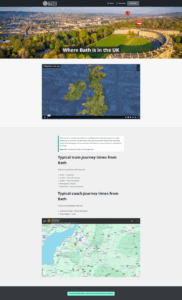
We also added more videos and images throughout the content to give people a different experience to the print prospectus, but also to the website, where the content is more text-based.
Keeping it brief
The way we've written the prospectus in the past was always meant to encourage people to learn more about Bath, rather than trying to tell them everything there is to know about the University.
We didn't want to change that on Prospectus Plus.
By keeping the content brief, breaking it up into focused pages, and using videos and images, the idea is that people will use Prospectus Plus as a jumping off point to find more information and, ideally, apply for a course, on our website.
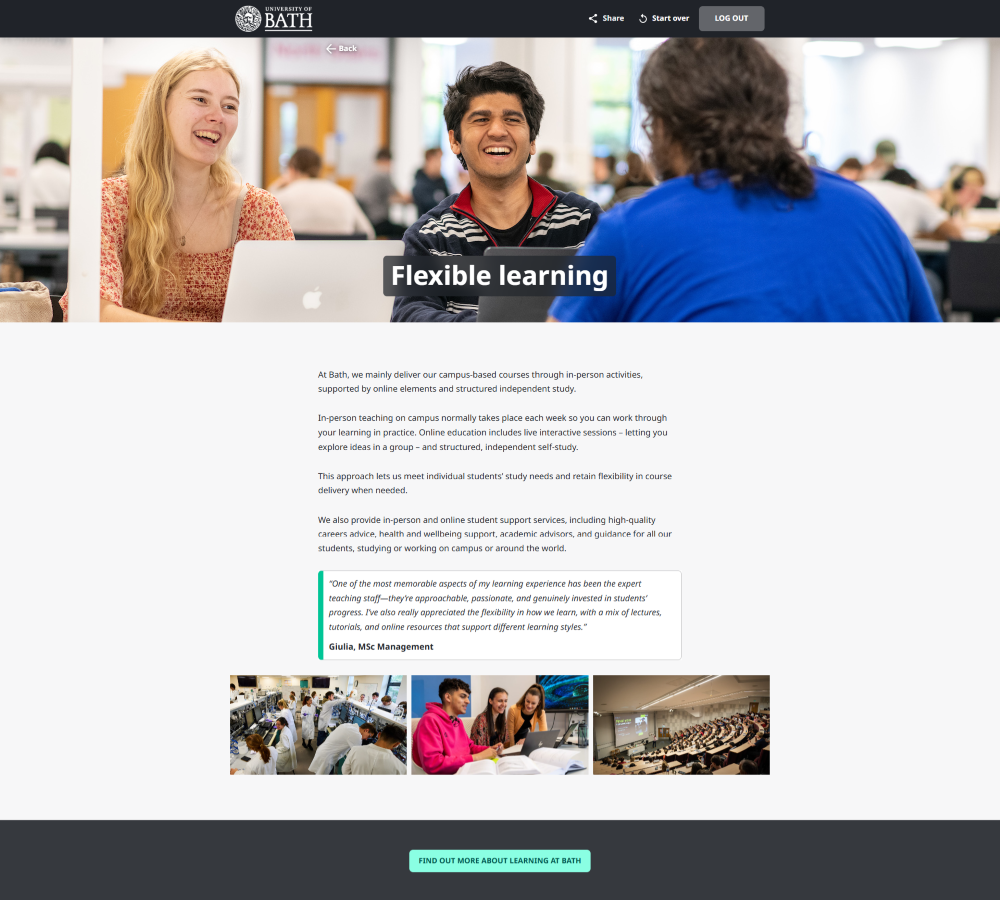
Most pages include quotes from students, which we know prospective applicants find helpful, and calls to action to more detailed information on the website.
What’s next for content
We're now working on the undergraduate version of Prospectus Plus.
This is a combination of reused content from the master's version and new, undergraduate-only content.
Later in the year, we’ll also look at the data we get from Prospectus Plus to see how people have been using the master's version. We need a whole year to do a proper analysis, but as we never had page-by-page data from the print prospectus, it should be interesting to see what people prioritise and what we can learn from that.
Respond


